
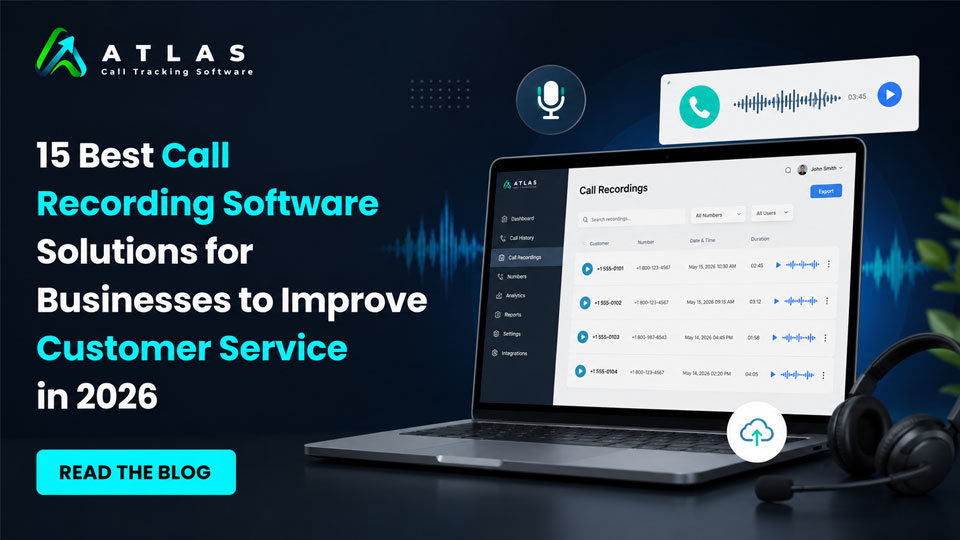
Phone calls still play a major role in sales, customer support, appointment booking, lead qualification, and client communication. But simply answering calls is no longer enough. Businesses now want to understand what customers are asking, how agents are performing, which campaigns are driving calls, and where opportunities are being missed.
That’s why call recording software has become an essential business tool in 2026.
In this detailed guide, we’re covering the 15 best call recording software for businesses. Starting with one of the fastest-growing platforms for call tracking, analytics, and AI-powered insights.
Quick Comparison Table : Top 15 Business Call Recording Software in 2026
| Software | Best For | Key Strength |
|---|---|---|
| CallAtlas | AI call tracking & marketing attribution | AI analytics and lead tracking |
| RingCentral | Enterprise communication | Unified communication platform |
| Aircall | Sales and support teams | CRM integrations |
| Dialpad | AI-powered calling | Real-time transcription |
| 8×8 | Global businesses | International calling support |
| Nextiva | Small businesses | Easy deployment |
| Zoom | Hybrid teams | Meetings and phone integration |
| Vonage | Custom communication workflows | API flexibility |
| GoTo Connect | SMB communication | Simple cloud telephony |
| CloudTalk | International sales teams | Automation features |
| Five9 | Enterprise contact centers | AI customer service tools |
| Talkdesk | Customer experience management | Omnichannel support |
| OpenPhone | Startups and remote teams | Shared business numbers |
| JustCall | Outbound sales teams | Sales dialers and automation |
| Freshcaller | Freshworks users | Affordable cloud calling |
Here is the detailed description about the 15 Best Call Recording Software for Businesses in 2026
1. CallAtlas
Best Call Recording Software For Business
Businesses today don’t just want to record calls. They want to know:
- Which ad campaign generated the call
- Which keywords drove conversions
- What customers are talking about
- Whether staff handled calls properly
- Which calls turned into revenue
This is where CallAtlas stands out from traditional call recording platforms.
It combines call recording with advanced analytics, AI-generated insights, lead attribution, and marketing performance tracking — all in one dashboard.
Unlike older systems that focus only on storing recordings, CallAtlas helps businesses turn conversations into measurable business intelligence.
Key Features
Call Recording
Every inbound call can be recorded. The platform securely stores recordings and makes them shareable and searchable for future analysis.
Businesses can review:
- Sales calls
- Customer support conversations
- Missed opportunities
- Appointment bookings
- Team performance discussions
The recordings are easy to organize and access from a central dashboard.
Call Tracking and Attribution
One of the strongest features of CallAtlas is marketing attribution.
Businesses can track:
- Google Ads calls
- Facebook Ads calls
- SEO-generated phone leads
- Landing page conversions
- Offline campaign responses
This allows companies to finally understand which marketing channels are actually generating phone leads and revenue.
For businesses spending heavily on advertising, this insight can significantly reduce wasted budget.
AI Call Transcripts
Instead of manually listening to long conversations, CallAtlas automatically converts calls into text transcripts.
This helps teams:
- Search conversations quickly
- Identify customer pain points
- Review sales objections
- Analyze support quality
- Train new employees
AI transcripts also make compliance reviews and documentation much easier.
Real-Time Analytics
The dashboard provides detailed insights including:
- Call volume trends
- Missed calls
- First response times
- Conversion-focused metrics
- Campaign-level reporting
- Agent performance data
For marketing agencies and growing businesses, this data becomes extremely valuable for optimization.
Why Businesses Like CallAtlas
Many businesses struggle with disconnected tools.
One platform handles calls. Another handles analytics. Another stores recordings. Another tracks ads.
CallAtlas simplifies this by combining everything into a single platform.
It is especially useful for:
- Marketing agencies
- Healthcare clinics
- Real estate businesses
- Legal firms
- Home service companies
- Automotive businesses
- Multi-location businesses
Pros
- Advanced AI call analytics
- Marketing attribution tracking
- Automatic call recording
- AI-generated transcripts
- Easy-to-understand dashboard
- Great for lead tracking
- Useful for sales optimization
- Supports business growth
Cons
- Advanced analytics may be more than some very small businesses need
- Teams unfamiliar with call attribution may need onboarding initially
Best For
Businesses that want more than basic call recording and need:
- Call tracking
- AI insights
- Marketing attribution
- Conversion optimization
- Sales performance analysis
2. RingCentral
Best for Enterprise Communication and Unified Calling
RingCentral has remained one of the most recognized business communication platforms for years, and in 2026 it continues to be a strong option for enterprises and remote teams.
The platform combines:
- VoIP calling
- Video meetings
- Messaging
- Call recording
- Contact center tools
This makes it useful for businesses looking for an all-in-one communication ecosystem.
Key Features
Automatic and On-Demand Call Recording
Businesses can choose:
- Automatic recording for all calls
- On-demand recording during active conversations
This flexibility helps organizations manage compliance requirements while controlling storage usage.
Cloud-Based Accessibility
Since everything is cloud-based, teams can access recordings remotely from almost anywhere.
This is especially useful for:
- Hybrid teams
- Remote sales departments
- Distributed support centers
CRM Integrations
RingCentral integrates with several major CRM systems including:
- Salesforce
- HubSpot
- Zendesk
- Microsoft Dynamics
This helps businesses connect customer conversations directly with customer records.
Pros
- Reliable enterprise infrastructure
- Strong integration ecosystem
- Good voice quality
- Scalable for large teams
- Built-in video conferencing
Cons
- Can become expensive for smaller businesses
- Advanced setup may require technical support
- Some features locked behind higher-tier plans
Best For
Mid-sized to enterprise businesses that need:
- Unified communication
- VoIP systems
- Team collaboration
- Enterprise-grade call recording
3. Aircall
Best for Modern Sales and Support Teams
Aircall has become popular among startups, SaaS companies, and customer support teams because of its clean interface and easy deployment.
The platform focuses heavily on productivity and workflow automation.
Key Features
Automatic Call Recording
Calls can be recorded automatically and stored securely in the cloud.
Managers can use recordings to:
- Monitor call quality
- Train agents
- Improve sales conversations
- Resolve disputes
Smart Call Routing
Aircall includes intelligent routing capabilities that help businesses direct calls to the right department or team member quickly.
This improves customer experience and reduces wait times.
Integrations and Workflow Automation
One of Aircall’s biggest strengths is its integration ecosystem.
It connects with:
- HubSpot
- Slack
- Salesforce
- Pipedrive
- Zendesk
This helps teams automate workflows and reduce manual tasks.
Pros
- Easy setup process
- Modern user interface
- Strong CRM integrations
- Good for remote teams
- Useful analytics tools
Cons
- Pricing can increase quickly with larger teams
- Some advanced analytics are limited compared to dedicated call intelligence platforms
- Internet quality heavily affects performance
Best For
Sales teams, customer support centers, and startups that want:
- Cloud calling
- Simple call recording
- CRM integrations
- Fast deployment
4. Dialpad
Best for AI Voice Intelligence and Real-Time Call Assistance
Dialpad has built a strong reputation for combining cloud telephony with artificial intelligence. Instead of simply recording conversations, the platform actively helps businesses understand and improve customer interactions in real time.
This makes it especially valuable for sales teams, customer support departments, and remote businesses that rely heavily on phone communication.
Key Features
Automatic Call Recording
Dialpad allows businesses to record inbound and outbound calls automatically. Recordings are stored securely in the cloud and can be reviewed anytime.
Managers often use recordings for:
- Quality assurance
- Agent training
- Sales coaching
- Compliance monitoring
- Customer dispute resolution
The playback interface is simple and user-friendly, which helps teams quickly locate important conversations.
Real-Time AI Transcription
One of Dialpad’s biggest strengths is live transcription during active calls.
Instead of waiting for the conversation to end, the platform generates real-time text transcripts while the call is happening. This helps agents:
- Capture customer details accurately
- Reduce note-taking
- Stay focused during conversations
- Improve communication efficiency
Businesses handling high call volumes often find this feature extremely useful.
AI-Powered Coaching
Dialpad includes AI-driven voice intelligence tools that can detect:
- Customer sentiment
- Frequently mentioned keywords
- Call interruptions
- Long pauses
- Common objections
Managers can use this information to improve team performance and identify coaching opportunities.
Unified Communication Features
Beyond call recording, Dialpad also offers:
- Video meetings
- Team messaging
- VoIP calling
- Contact center capabilities
This makes it suitable for businesses wanting a single communication platform.
Pros
- Excellent AI-powered features
- Real-time transcription
- User-friendly dashboard
- Strong mobile app experience
- Good for remote and hybrid teams
Cons
- Advanced AI tools may increase pricing
- Internet connectivity impacts call quality
- Some integrations require higher plans
Best For
Businesses that want:
- AI-assisted calling
- Live transcription
- Sales coaching insights
- Cloud-based communication tools
5. 8×8
Best for Global Business Communication and Contact Centers
8×8 is widely used by businesses operating across multiple locations and countries. The platform focuses heavily on reliability, scalability, and enterprise communication management.
For businesses handling international customers or distributed support teams, 8×8 offers strong infrastructure and enterprise-level capabilities.
Key Features
Secure Call Recording
8×8 provides both automatic and on-demand call recording options.
Businesses can manage:
- Internal calls
- Customer support interactions
- Sales conversations
- Compliance-sensitive recordings
The platform also offers storage management and access controls for security purposes.
Contact Center Functionality
The platform includes advanced contact center features such as:
- Intelligent call routing
- IVR systems
- Queue management
- Call monitoring
- Supervisor tools
This makes it suitable for businesses managing large customer support operations.
Analytics and Reporting
8×8 provides detailed reporting dashboards that help businesses track:
- Call duration
- Wait times
- Agent activity
- Missed calls
- Customer interaction metrics
Managers can use this data to improve operational efficiency and customer satisfaction.
International Calling Support
One major reason businesses choose 8×8 is its strong global communication support.
The platform offers international business calling capabilities, which can help reduce costs for organizations with overseas clients or remote international teams.
Pros
- Strong enterprise infrastructure
- Reliable global communication support
- Good security features
- Advanced contact center tools
- Detailed reporting options
Cons
- User interface may feel complex initially
- Advanced features can require training
- Pricing may not suit small startups
Best For
Large businesses and international companies needing:
- Enterprise call recording
- Global communication systems
- Contact center management
- Advanced reporting
6. Nextiva
Best for Small Businesses and Customer Experience Management
Nextiva has become a popular option for small and mid-sized businesses looking for reliable communication tools without unnecessary complexity.
The platform combines VoIP calling, customer communication management, and call recording features into a relatively simple interface.
Key Features
Unlimited Call Recording Options
Nextiva supports automatic call recording that businesses can use for:
- Staff training
- Compliance monitoring
- Customer support evaluation
- Sales improvement
Recordings can be stored and managed through cloud-based access.
Customer Experience Tools
Unlike many traditional VoIP providers, Nextiva places strong focus on customer experience management.
Businesses can track:
- Customer communication history
- Team responsiveness
- Support performance
- Interaction quality
This helps businesses improve long-term customer relationships.
Team Collaboration Features
The platform also includes:
- Internal team chat
- Video conferencing
- File sharing
- Voicemail transcription
These tools help businesses centralize communication workflows.
Easy Deployment
One reason smaller businesses prefer Nextiva is its relatively simple onboarding process.
Companies without large IT teams can usually deploy the system faster compared to more enterprise-heavy solutions.
Pros
- Easy to use
- Reliable VoIP performance
- Good customer support
- Strong business communication features
- Suitable for growing companies
Cons
- Some advanced analytics are limited
- Higher-tier plans required for premium features
- Customization options may be restricted for larger enterprises
Best For
Small to mid-sized businesses looking for:
- Simple call recording
- Reliable VoIP systems
- Customer communication management
- Easy deployment
7. Zoom
Best for Businesses Using Video Meetings and Hybrid Communication
Most people recognize Zoom for video conferencing, but the platform has expanded significantly into cloud telephony and business communication services over the last few years.
With Zoom Phone, businesses can now manage:
- VoIP calling
- Team communication
- Video meetings
- Call recording
- Contact center operations
This makes Zoom a strong option for organizations already using the platform for meetings and collaboration.
Key Features
Cloud Call Recording
Zoom allows businesses to record calls automatically or manually depending on company policies.
Recorded conversations can be stored securely in the cloud and accessed through the admin dashboard for:
- Training
- Compliance reviews
- Customer service improvement
- Internal audits
Businesses can also configure retention policies for recordings.
Unified Communication Ecosystem
One major advantage of Zoom is its ability to centralize communication.
Instead of using separate tools for:
- Meetings
- Calls
- Messaging
- Collaboration
Businesses can manage everything from one platform.
This improves workflow efficiency and reduces software fragmentation.
AI Features and Transcripts
Zoom has introduced more AI-powered tools in recent years, including:
- Meeting summaries
- Call transcripts
- Smart search functionality
- Conversation highlights
These features help businesses review interactions more efficiently without listening to entire recordings.
Scalable for Different Business Sizes
Zoom works well for:
- Small businesses
- Remote startups
- Mid-sized organizations
- Enterprise teams
The platform can scale relatively easily as communication needs grow.
Pros
- Familiar and widely used platform
- Strong video meeting integration
- Reliable cloud infrastructure
- Easy user adoption
- Good scalability
Cons
- Some advanced phone features require premium plans
- Heavy internet dependence
- Contact center tools may not match dedicated enterprise systems
Best For
Businesses already using Zoom that want:
- Integrated call recording
- Unified communication
- Remote collaboration tools
- Simple cloud phone systems
8. Vonage
Best for Flexible Business Communication APIs and VoIP Calling
Vonage has evolved from a traditional VoIP provider into a more advanced cloud communication platform offering voice, messaging, video, and API-based communication services.
The platform is particularly attractive for businesses wanting flexible communication customization options.
Key Features
Automatic Call Recording
Vonage supports automatic call recording for business conversations and customer interactions.
Businesses can use recordings to:
- Improve support quality
- Train employees
- Resolve customer disputes
- Monitor sales calls
- Maintain compliance records
The recordings are accessible through cloud storage systems.
Communication APIs
One area where Vonage stands out is developer flexibility.
Businesses can integrate communication features into their own applications using APIs for:
- Voice
- SMS
- Video
- Authentication
This makes Vonage especially appealing for tech-focused businesses and SaaS companies.
CRM and Productivity Integrations
Vonage integrates with several business tools including:
- Salesforce
- HubSpot
- Microsoft Teams
- Zoho CRM
This helps businesses connect customer communication data with sales and support workflows.
Mobile and Remote Accessibility
Employees can manage calls and recordings from:
- Desktop devices
- Mobile apps
- Remote environments
This flexibility is valuable for modern distributed teams.
Pros
- Strong API capabilities
- Flexible communication tools
- Reliable VoIP performance
- Good integration options
- Suitable for custom workflows
Cons
- Some advanced features may require technical setup
- Pricing varies depending on usage
- Interface may feel less modern than newer competitors
Best For
Businesses needing:
- Flexible communication infrastructure
- VoIP systems
- API customization
- Cloud-based call recording
9. GoTo Connect
Best for Businesses Wanting Simple and Reliable Cloud Telephony
GoTo Connect combines cloud phone systems, meetings, messaging, and call recording into a straightforward business communication solution.
The platform is known for reliability and ease of use, making it popular among small and mid-sized businesses.
Key Features
Built-In Call Recording
GoTo Connect allows businesses to record calls automatically or selectively based on company preferences.
Managers can review recordings for:
- Employee coaching
- Support quality
- Customer issue resolution
- Compliance tracking
The system makes it easy to search and organize recordings.
Custom Call Routing
Businesses can create custom call flows using:
- Auto attendants
- Ring groups
- Call queues
- Routing rules
This helps improve customer experience and ensures calls reach the correct departments.
Simple Administration Dashboard
One advantage of GoTo Connect is its relatively easy management system.
Businesses can:
- Add users
- Configure phones
- Manage recordings
- Monitor activity
without needing extensive technical expertise.
Team Collaboration Features
The platform also includes:
- Video conferencing
- Internal messaging
- Voicemail management
- Mobile calling support
These features help centralize daily communication.
Pros
- Easy to use
- Reliable cloud phone performance
- Good call management tools
- Simple setup process
- Helpful for small businesses
Cons
- Advanced analytics are somewhat limited
- Enterprise customization may be restricted
- Some integrations require additional configuration
Best For
Small and mid-sized businesses looking for:
- Reliable cloud telephony
- Simple call recording
- Easy system management
- Unified communication tools
10. CloudTalk
Best for Sales Teams and International Customer Support
CloudTalk has become increasingly popular among businesses that manage high call volumes across sales and support teams.
The platform focuses heavily on productivity, automation, and international communication, making it a strong option for growing businesses and remote teams.
Key Features
Automatic Call Recording
CloudTalk records inbound and outbound calls automatically, allowing businesses to maintain complete conversation histories.
Managers can use recordings for:
- Sales coaching
- Customer service reviews
- Team training
- Compliance monitoring
- Performance analysis
Recordings are securely stored and accessible through the cloud dashboard.
Smart Dialing and Automation
One of CloudTalk’s biggest strengths is workflow automation.
The platform includes:
- Power dialers
- Smart call routing
- IVR systems
- Automated callbacks
- Call tagging
These features help teams handle larger call volumes more efficiently.
International Calling Support
CloudTalk offers virtual phone numbers in multiple countries, which helps businesses create local customer experiences even when operating globally.
This is especially useful for:
- International sales teams
- SaaS businesses
- Outsourcing companies
- Global support operations
Analytics and Reporting
Managers can track:
- Average call duration
- Missed calls
- Agent productivity
- Queue performance
- Customer wait times
The reporting dashboard provides useful operational insights without becoming overly complex.
Pros
- Easy-to-use interface
- Strong automation tools
- Excellent for remote teams
- International calling support
- Good CRM integrations
Cons
- Advanced reporting may require premium plans
- Smaller businesses may not use all features
- Some integrations require setup assistance
Best For
Businesses needing:
- Cloud-based call centers
- Sales call management
- International communication
- Automated workflows
11. Five9
Best for Enterprise Contact Centers and AI Customer Service
Five9 is widely recognized as one of the leading enterprise-grade contact center solutions available today.
The platform is designed for businesses that manage large-scale customer support operations and need advanced automation, AI tools, and workforce optimization features.
Key Features
Enterprise Call Recording
Five9 provides advanced call recording capabilities with secure cloud storage and compliance-focused management tools.
Businesses can record:
- Customer support calls
- Sales interactions
- Internal conversations
- Escalation cases
The platform also supports selective recording and retention management.
AI and Intelligent Virtual Agents
Five9 has invested heavily in AI-driven customer service automation.
Businesses can use:
- AI chatbots
- Virtual voice agents
- Intelligent routing
- Predictive analytics
These tools help reduce support workload and improve customer response times.
Workforce Optimization
Managers can monitor:
- Agent performance
- Customer satisfaction trends
- Call quality
- Schedule efficiency
- Productivity metrics
This helps enterprises improve operational performance across large support teams.
CRM Integrations
Five9 integrates with enterprise systems including:
- Salesforce
- Zendesk
- Oracle
- Microsoft Dynamics
- ServiceNow
This allows businesses to connect communication data directly with customer records and workflows.
Pros
- Enterprise-level scalability
- Advanced AI capabilities
- Strong security and compliance tools
- Detailed analytics
- Powerful contact center management
Cons
- Can be expensive for smaller businesses
- Setup may require technical expertise
- More complex than lightweight VoIP systems
Best For
Large enterprises needing:
- Advanced contact center tools
- AI-powered customer service
- Workforce management
- Enterprise call recording
12. Talkdesk
Best for AI-Driven Customer Experience Management
Talkdesk focuses strongly on improving customer experience through automation, AI insights, and modern cloud infrastructure.
The platform is widely used by enterprises that want flexible customer communication systems with intelligent automation features.
Key Features
Cloud Call Recording
Talkdesk allows businesses to record customer interactions securely while managing storage and compliance requirements efficiently.
Recordings can be used for:
- Quality assurance
- Employee training
- Compliance audits
- Customer issue investigation
The system also makes it easy to search historical conversations.
AI-Powered Customer Insights
Talkdesk uses artificial intelligence to help businesses analyze customer interactions.
The platform can identify:
- Customer sentiment
- Common complaints
- Repeated service issues
- Escalation patterns
- Agent performance trends
These insights help organizations improve customer support quality.
Omnichannel Communication
Businesses can manage customer interactions across:
- Voice calls
- Chat
- SMS
- Social media
This unified communication approach helps create smoother customer experiences.
Flexible Cloud Infrastructure
Talkdesk supports:
- Remote teams
- Hybrid work environments
- Multi-location support centers
- Enterprise scalability
The cloud-based setup also reduces the need for heavy on-premise infrastructure.
Pros
- Strong AI analytics
- Modern cloud infrastructure
- Omnichannel communication support
- Good scalability
- Enterprise-grade capabilities
Cons
- Premium pricing for advanced tools
- Smaller teams may find it complex
- Custom implementation may take time
Best For
Businesses looking for:
- AI-powered customer experience tools
- Enterprise support systems
- Omnichannel communication
- Advanced cloud contact centers
13. OpenPhone
Best for Startups, Small Businesses, and Remote Teams
OpenPhone has become a popular option for startups and growing businesses that want a simple but professional communication system.
The platform focuses heavily on usability, collaboration, and modern business communication workflows.
Unlike complex enterprise systems, OpenPhone keeps the experience lightweight and easy to manage.
Key Features
Automatic Call Recording
Businesses can record conversations for:
- Customer support reviews
- Sales call analysis
- Employee training
- Documentation purposes
The recordings are stored in the cloud and can be accessed directly from conversation threads.
Shared Phone Numbers
One of OpenPhone’s standout features is shared business numbers.
Multiple team members can:
- Answer calls
- Review conversations
- Access recordings
- Send messages
from the same number.
This is especially useful for customer support and sales collaboration.
Messaging and Call Management
OpenPhone combines:
- Voice calls
- SMS messaging
- Voicemail
- Contact management
into one clean dashboard.
This helps businesses manage customer communication more efficiently.
Easy Setup Process
The platform is designed for businesses that do not want complicated deployments or expensive hardware.
Most teams can get started quickly without requiring dedicated IT support.
Pros
- Extremely user-friendly
- Great for remote teams
- Shared team inbox features
- Modern interface
- Easy onboarding
Cons
- Not ideal for large enterprise contact centers
- Advanced analytics are somewhat limited
- Fewer enterprise customization options
Best For
Startups and small businesses needing:
- Simple call recording
- Team collaboration
- Cloud phone systems
- Remote communication tools
14. JustCall
Best for Sales Outreach and Customer Support Teams
JustCall is widely used by sales and support teams that want calling, SMS, automation, and CRM integrations within one platform.
The platform is especially useful for businesses focused on outbound sales activities and customer engagement.
Key Features
Automatic Call Recording
JustCall records business calls automatically and stores them securely in the cloud.
Managers can review recordings to:
- Improve sales conversations
- Monitor support quality
- Train agents
- Analyze customer interactions
The playback and search system is straightforward and easy to navigate.
Sales Dialers and Automation
The platform includes:
- Auto dialers
- Predictive dialers
- SMS automation
- Call scheduling
- Workflow triggers
These features help sales teams increase productivity and reduce repetitive tasks.
CRM Integrations
JustCall integrates with many popular business tools including:
- HubSpot
- Salesforce
- Pipedrive
- Zoho CRM
- Freshdesk
This helps businesses centralize customer communication data.
AI Coaching and Analytics
Recent platform updates have added AI-powered features such as:
- Call scoring
- Conversation insights
- Sentiment analysis
- Agent coaching recommendations
These tools help businesses improve both sales and support performance.
Pros
- Excellent for outbound sales
- Strong CRM integrations
- Useful automation tools
- Easy cloud deployment
- Good support for remote teams
Cons
- Advanced features increase pricing
- Some reporting tools require higher plans
- Smaller businesses may not need all automation features
Best For
Sales and support teams looking for:
- Call recording
- Outbound dialing
- CRM integrations
- Workflow automation
15. Freshcaller
Best for Businesses Using the Freshworks Ecosystem
Freshcaller is part of the broader Freshworks ecosystem and is designed to help businesses manage customer communication through cloud-based phone systems.
The platform is particularly attractive for businesses already using other Freshworks products.
Key Features
Cloud Call Recording
Freshcaller supports automatic call recording for inbound and outbound conversations.
Businesses can use recordings for:
- Quality monitoring
- Customer service improvement
- Staff training
- Internal reviews
- Compliance management
The recordings are stored securely and accessible through the dashboard.
Smart Call Routing
The platform includes:
- IVR systems
- Call queues
- Routing automation
- Holiday routing
- Department transfers
These features help businesses improve customer handling efficiency.
Built-In Analytics
Managers can track:
- Agent performance
- Call volumes
- Average handling time
- Missed calls
- Queue activity
The analytics interface is relatively easy for smaller teams to understand.
Omnichannel Support
When combined with other Freshworks products, businesses can manage:
- Calls
- Email tickets
- Chat support
- Customer records
from one ecosystem.
Pros
- Easy to use
- Good integration with Freshworks tools
- Reliable cloud calling
- Affordable for smaller teams
- Simple setup process
Cons
- Advanced enterprise features are limited
- Customization options may not suit very large businesses
- Some analytics features require upgrades
Best For
Small and mid-sized businesses wanting:
- Affordable call recording
- Cloud call center features
- Freshworks integrations
- Easy communication management
Conclusion:
Choosing the right call recording software depends on:
- Your business size
- Call volume
- Customer support needs
- Sales processes
- Marketing tracking requirements
- Budget
- Integration requirements
Some businesses simply need reliable call recording, while others need advanced AI analytics, marketing attribution, and customer intelligence.
For businesses focused on:
- AI-powered call insights
- Marketing attribution
- Lead tracking
- Conversion optimization
- Real-time analytics
The best solution is ultimately the one that aligns with your communication workflows, customer expectations, and long-term business goals.
Frequently Asked Questions
Call recording software helps businesses record inbound and outbound calls for training, quality monitoring, compliance, customer support, and sales analysis.
CallAtlas is one of the top choices for businesses needing AI-powered call recording, analytics, and marketing attribution.
Yes, most modern cloud-based call recording platforms use encryption, secure storage, and access controls to protect business conversations and customer data.
Many platforms integrate with CRMs like Salesforce, HubSpot, Zoho CRM, and Pipedrive to connect call data with customer records.
Businesses should consider features like AI analytics, call tracking, integrations, pricing, scalability, cloud support, and ease of use before choosing software.